How to make a good profile picture for Discord from one photo
Discord profile pictures work differently from most social platforms because they are not always trying to prove who you are in real life. Sometimes they are meant to show your personality. Sometimes they are meant to fit a server, a game, a roleplay identity, or a pseudonymous account. That changes the whole decision.
If you already have one photo of yourself, it can still be a strong starting point. But the goal on Discord is not automatically “make this look like a professional portrait.” The goal is to decide what kind of identity the avatar should carry first. Once that is clear, OutSence can help you create a few recognizable directions from the same source photo.
Discord is about identity fit not default realism
A weak Discord profile picture is not always low quality. It is often just mismatched. A real face can feel wrong in a strongly stylized server. A chaotic avatar can feel wrong in direct messages where people need to recognize you quickly. The best choice depends on how you actually use the platform.
That is why Discord is different from LinkedIn or Gmail. The platform supports more than one valid identity mode. The right answer may be a real photo, a stylized portrait, or a server-specific variation.
Turn one photo into a Discord avatar that feels intentional
If you want to start from one real photo, do not treat the process like making a generic headshot:
- Choose the photo that gives you the strongest base identity. It does not need to be formal, but it should already feel like a usable version of you.
- Set a crop that works in dark, small avatar contexts. In OutSence Create, frame the image so the face or main shape reads quickly.
- Pick the identity direction before the style direction. Decide whether you want the result to feel real, stylized, playful, or server-specific.
- Compare only the versions that fit how you actually use Discord. Keep the one that matches your role on the platform instead of the one that just looks coolest alone.
- Choose the image that would still make sense in both DMs and the server spaces that matter most. Discord rewards consistency of identity more than generic polish.
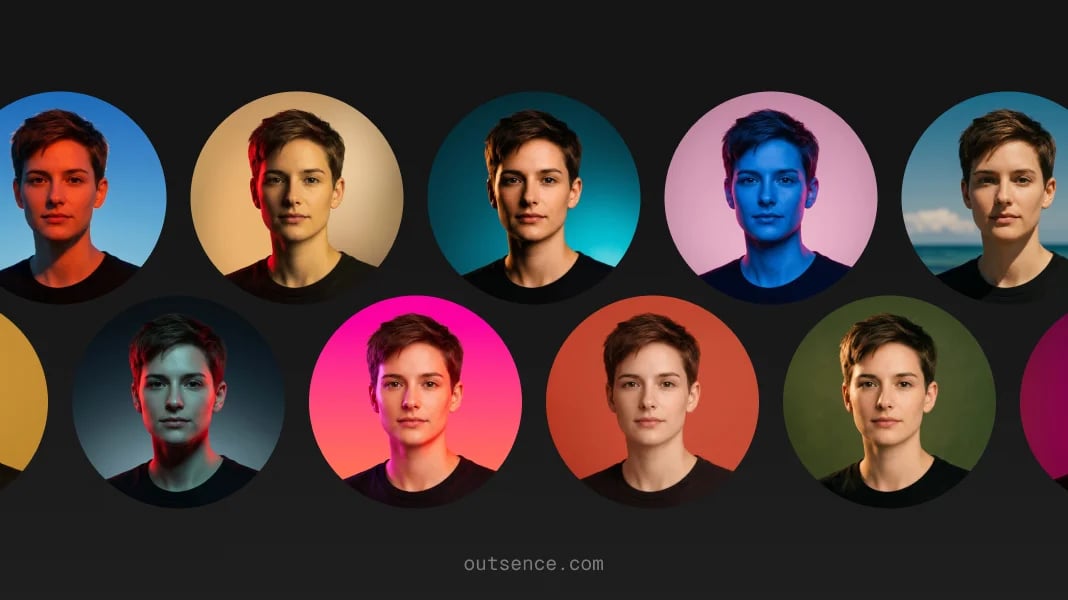
Choose differently for a real photo stylized avatar or per-server identity
If you use Discord mostly for direct messages with friends or smaller communities where people know you personally, a real-photo direction can work well. It should still be simple and readable, especially in dark mode.
If you use Discord more as a gaming, fandom, or pseudonymous space, a stylized version of yourself may fit better. In that case, the goal is not strict realism. It is recognizable personality.
If you are a Nitro user and actually maintain different personas across servers, the best answer may be more than one avatar. Discord explicitly supports per-server profiles, so having a primary version and one or two server-specific directions can be the most honest solution. Source
Quick Discord identity check
Before you keep the final version, test whether it fits the way Discord is really used:
- DM readability: does the avatar still feel identifiable in private conversations?
- Server fit: does it make sense in the communities where you are most active?
- Dark UI: does the image still hold up against Discord’s darker visual environment?
- Identity honesty: are you choosing the right mode for the account, whether real, stylized, or server-specific?
- Multi-server logic: if you act differently across servers, would more than one version actually serve you better?
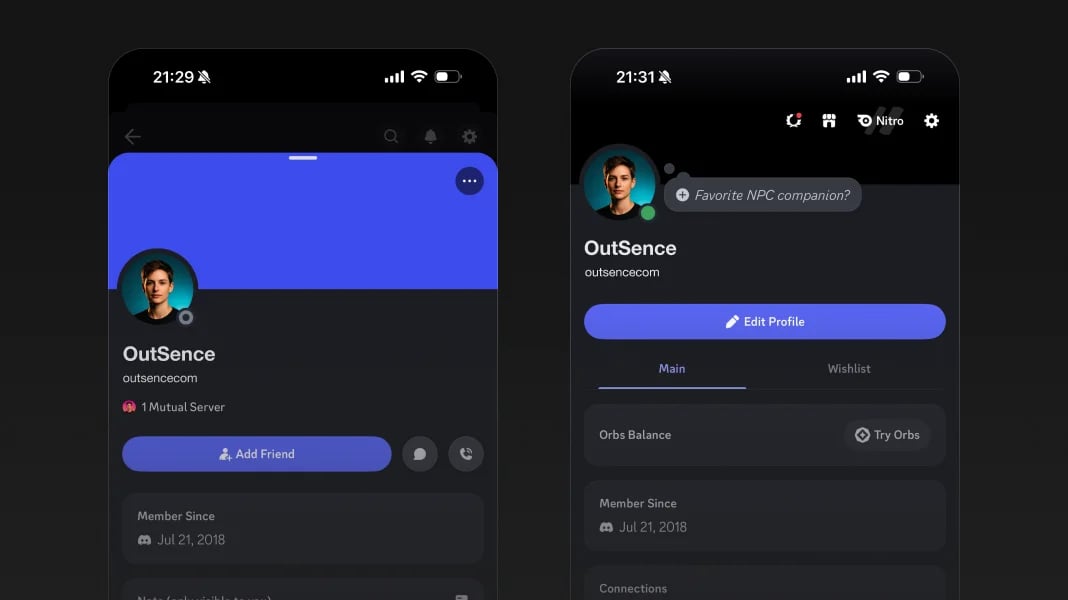
Discord officially supports different profile modes and per-server avatars
Verified on May 6, 2026
Discord says users can customize their avatar, banner, About Me, pronouns, and more, and that supported avatar file types include PNG and GIF for profile avatars, with Nitro users able to upload animated GIFs. Discord also says Nitro users can set different server-specific avatars, and can crop, center, and rotate them after upload. That matters because Discord is one of the clearest examples of a platform where one identity choice does not have to fit every context. If you start with one real photo in OutSence, the product is especially useful when you want to compare a primary avatar and one or two stylized directions without losing the sense that they still come from the same person. Source Source
When OutSence helps on Discord
OutSence helps most on Discord when you want more than a literal crop of one selfie. The product is useful when the platform needs intentional identity choices: a cleaner real-photo version for DMs, a stylized version for your main profile, or a small family of variations that still feel related.
That makes Discord one of the best fits for a one-photo-to-many-directions workflow. If that is your use case, start in OutSence Create, then compare the results in your OutSence gallery and keep the version or versions that match how you actually move across Discord.
Related guides
If your next issue is fitting the avatar more cleanly, continue with How to make your Discord profile picture fit and stay clear. If you want broader comparison ideas, read Best profile picture for Discord — photo ideas and examples. If you need the technical reference page, go to Profile picture for Discord — size, crop, file format, and photo best practices.
FAQ
Should I use a real photo on Discord?
Only if that matches how you use the platform. Discord supports real-photo, stylized, and server-specific identity modes.
Is Discord one of the best platforms for a stylized profile picture?
Yes, often. A stylized avatar can fit Discord well as long as it is still readable and appropriate for your servers and DMs.
When do per-server avatars make sense?
When you move between communities that expect different versions of your identity, such as gaming, work, fandom, or roleplay spaces.
When is OutSence useful for Discord?
When you want multiple intentional avatar directions from one photo instead of forcing one generic version to do every job.