How to make a good profile picture for Google Account from one photo

A Google Account profile picture has a wider job than most profile photos. Google says the name and photo from your About Me page can show up in most Google services, so this image is not just for one inbox or one app. It has to hold together across a broader identity surface. Source
That changes what “good” means. For Google Account, the best picture is usually not the most expressive or the most aesthetic. It is the version of you that still feels clear, current, and believable when it appears in different Google contexts. If you already have one usable photo, OutSence fits best when you want to compare a few cleaner, more reusable directions from that single image before choosing one.
Google Account pictures have to travel well
A weak Google Account profile picture often fails because it is too narrow. It may look fine in one moment, then feel strange when the same image appears in a different Google product or in front of a different audience.
That is why this platform rewards breadth. A Google Account picture usually works best when it feels broadly human, broadly current, and not too dependent on one mood, trend, or niche context. The image has to travel well.
This is also where Google Account differs from Gmail. Gmail is still part of the same identity system, but the user intent here is bigger. You are choosing the image that may sit across account-facing Google surfaces, shared identity contexts, and contact visibility settings. That makes stability more important than personality.
Turn one photo into a Google Account picture that stays usable across services
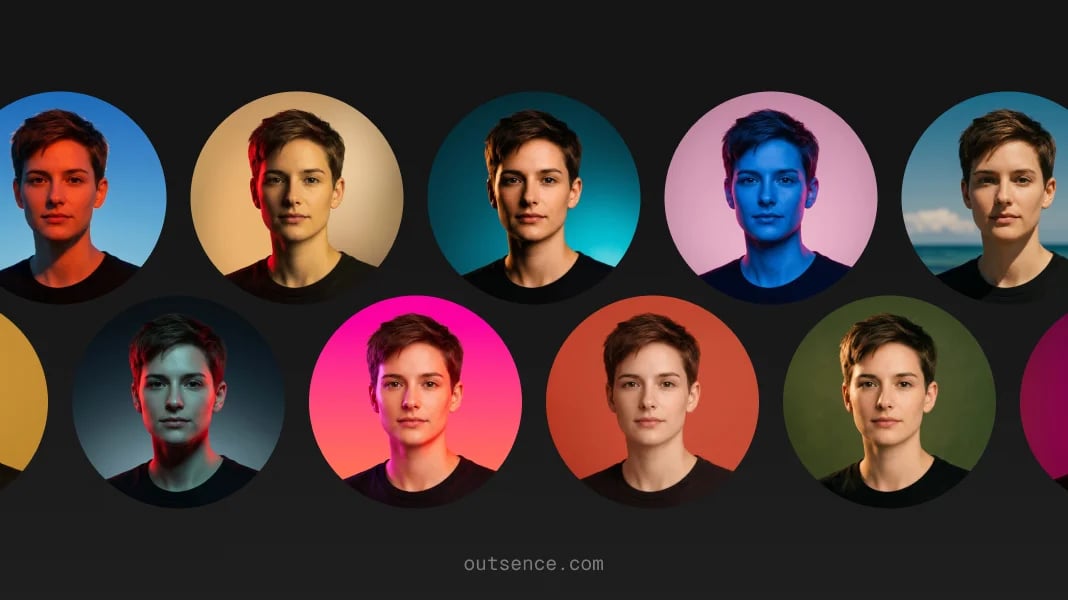
If you only have one decent photo, build for reuse rather than for one narrow context:
- Choose the source photo that already feels most like your real, current face.
- Crop for small-circle readability so the face still holds up when the image shrinks.
- Select restrained style directions in OutSence Create instead of looks tied to one vibe.
- Compare each version as wider Google identity, not as a single-app profile image.
- Keep the one that still feels right outside the moment where the original photo was taken.
A square source image gives you more room to work calmly. In practice, a clean 1024 × 1024 starting point from one selfie is useful because it leaves enough space for cropping without forcing the face too close.
What usually works best on Google Account
The strongest Google Account pictures are usually simple. One face. Clean light. A centered crop. Nothing in the frame that fights with recognition.
That does not mean the image has to be dull. It means the picture should not need context to work. If the result only feels right because of a strong filter, a joke, a dramatic background, or a creator-style pose, it will usually age badly across Google.
The most common failure is over-specificity. A picture that is perfect for a social profile can feel too casual, too stylized, or too coded when attached to broader Google identity. If the account touches both personal and light professional communication, that mismatch gets more obvious.
A non-photo option can still be the honest answer in a few cases. If this is a shared admin login, a family utility account, or an account used more as a function than a person, initials may work better than a weak portrait. For a normal personal Google Account, a real face is usually the better choice.
Choose differently for personal, mixed-use, or work-facing Google identity
For a personal Google Account, the best image is often just a current, friendly, low-friction portrait. You do not need a formal headshot. You need a face people can place quickly.
For a mixed-use account, where the same Google identity touches personal email, shared files, calendar invites, or occasional work communication, you need more restraint. A calm expression, neutral background, and believable finish usually work better than a highly casual or heavily polished image.
For a work-facing Google identity, keep the picture even more stable. This is not the place for a dramatic look or a trendy aesthetic decision. It is the place for durable recognizability. The image should still look like you, but it should also feel safe in contexts that are more public, more persistent, or less personal.
Quick cross-Google check
Before you keep the final version, run this quick test:
- Service travel: would this still feel right in more than one Google product?
- Recognition: can someone who knows you identify you fast from the face alone?
- Mixed-use safety: would this still feel fine in both personal and light work contexts?
- Small-size clarity: do the eyes, face shape, and outline survive a tiny circular crop?
- Long-term fit: would you still want this attached to your Google identity in a few months?
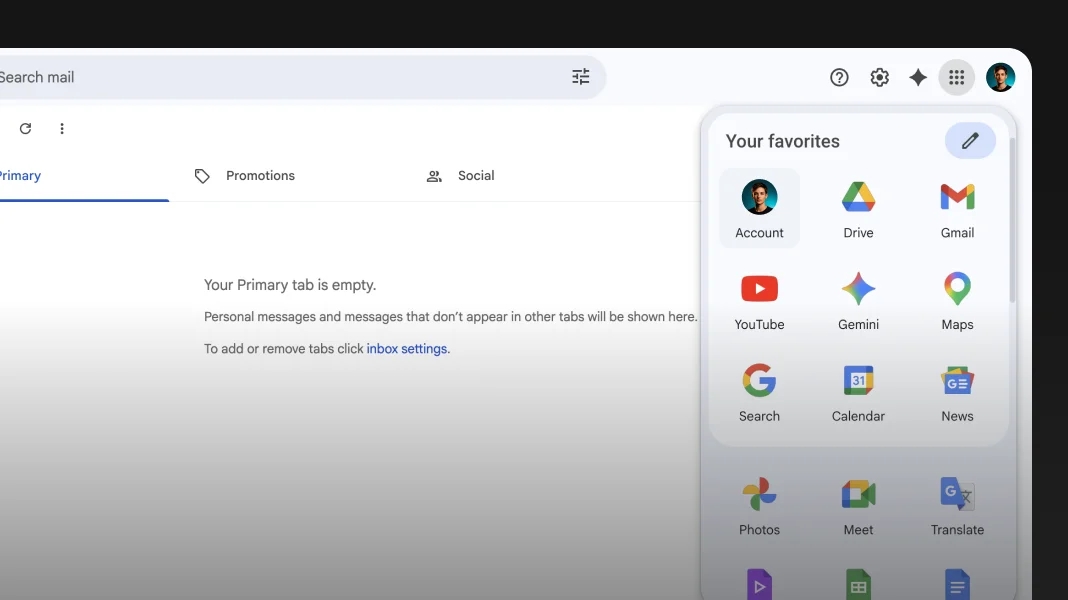
Google shows the picture broadly and uses initials if you do not add one
Verified on April 29, 2026
Google says other people who use Google services or devices where your Google Account profile is shown can check your name and profile picture. It also says the name and profile picture on your About Me page show up in most Google services. If you have not added a profile picture yet, Google shows your initials instead. Google also notes that changing your Google Account picture does not change your YouTube channel picture, which is managed separately. The practical implication is clear: this image is broad Google identity, not YouTube branding, so it needs to stay readable, current, and believable across many surfaces. Google also says changes to your name or profile picture can take a few days to update across products, which makes a stable choice more useful than a trendy one. Source Source
When OutSence helps on Google Account
OutSence helps most when the source photo is good enough, but too tied to one specific vibe. The product is a strong fit when you want several usable profile directions from one image and need to choose the one that feels broad enough for Google.
That is especially true for people in the middle. Not looking for a formal corporate headshot. Not wanting a random casual selfie either. If you want something cleaner, more stable, and still recognizable, start in OutSence Create, then compare the results in your gallery. Keep the version that still feels like you when you imagine it in places beyond the original photo context.
Related guides
- How to make your Google Account profile picture fit and stay clear
- Best profile picture for Google Account — photo ideas and examples
- Profile picture for Google Account — size, crop, file format, and photo best practices
FAQ
Should my Google Account picture be the same as my YouTube picture?
Not necessarily. Google says changing your Google Account picture does not change your YouTube channel picture, so you can keep those identities separate.
Is a logo better than a face for Google Account?
Usually no for a personal account. A real face is easier to recognize. A logo or initials make more sense for a shared, functional, or brand-style account.
What if I use one Google Account for both personal and light work use?
Choose the most neutral version of you. Keep the crop clean, the expression calm, and the styling light enough to feel natural in both contexts.
Can OutSence help if I only have one decent selfie?
Yes. That is one of the strongest fits. You can use one source photo, compare a few restrained profile-ready directions, and keep the version that travels best across Google.