How to make a good profile picture for WhatsApp from one photo
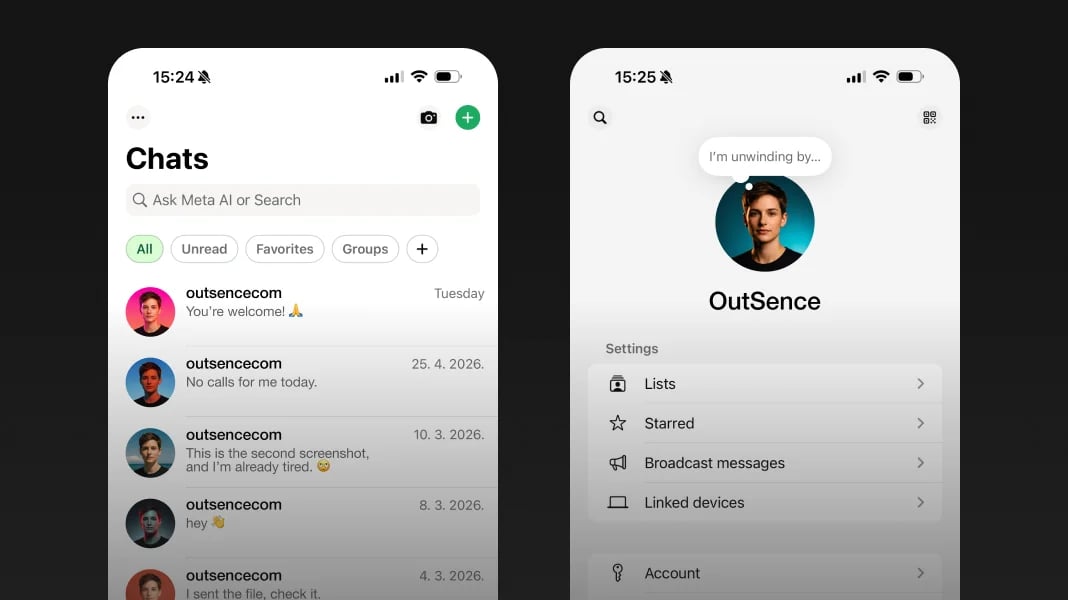
WhatsApp does not ask your profile picture to build a public persona. It asks it to work like a contact marker. People see it while scanning the chat list, checking a group, or noticing who is calling. That changes the standard immediately: the best picture here is rarely the most impressive one.
If you already have one selfie that feels like your everyday self, that is usually enough. The useful next step is not reinvention. It is turning that one photo into a cleaner, more contact-friendly version. That is where OutSence can help after you decide what kind of WhatsApp identity you actually need.
WhatsApp rewards recognition more than presentation
Instagram can tolerate more mood. YouTube can reward stronger branding. WhatsApp is simpler and stricter. The image works when it feels current, human, and easy to place.
That is why many weak WhatsApp profile pictures are not visually bad. They are socially wrong. The crop is too distant, the styling is too dramatic, or the overall image feels more like a post than a contact photo. In a messaging app, that creates small friction every time someone sees your name.
A good WhatsApp profile picture should reduce that friction. It should feel like the version of you people expect to see in a chat, not a version they need to interpret.
Turn one photo into a WhatsApp contact picture people trust
If you only have one usable photo, keep the workflow simple and recognition-first:
- Pick the selfie that already feels most like your real everyday face. Good light matters, but familiarity matters more.
- Set a contact-friendly crop. In OutSence Create, frame the photo so your face carries the image without feeling pushed or theatrical.
- Choose believable styles only. Warm, clean, calm, and lightly polished directions usually work better than attention-seeking ones on WhatsApp.
- Compare the results as if they were already in your chat list. Keep the version that feels easiest to recognize and easiest to trust.
- Prefer the version that feels socially comfortable. On WhatsApp, the safest win is usually not “most stylish,” but “most naturally right.”
Decide for personal chats mixed contacts or business use
If your WhatsApp is mostly personal, the best profile picture is usually relaxed and current. Friends and family do not need polish. They need a picture that feels like you now.
If your WhatsApp mixes private contacts with coworkers, clients, class groups, or community chats, the answer shifts slightly. You still want warmth, but with more restraint. The best image in that case is often tidy, open, and neutral enough to work across different relationships.
If you use WhatsApp in a business context, a real face can still work well when the account is person-led. But if the account is company-led rather than person-led, a logo may be the better answer. WhatsApp itself also notes that profile-photo visibility can be managed through privacy settings, which matters if your contact mix is broad. Source
Quick WhatsApp recognition check
Before you keep the final version, run a quick trust-and-recognition check:
- Chat list: would someone know it is you without thinking twice?
- Group chats: does the face still feel easy to spot among many contacts?
- Call screen: does the picture feel appropriate for the moment someone sees your incoming call?
- Mixed-contact comfort: would this still feel right if a friend, colleague, and family member all saw it?
- Everyday believability: does the picture feel like a real contact photo rather than a small personal brand ad?
WhatsApp does not reward over-detailed styling
Verified on April 15, 2026
WhatsApp says that HD media is not currently available for status updates or profile pictures. That is a practical image-choice rule, not just a technical note. On this platform, fine detail and dramatic finishing bring less benefit than a clear face, a calm background, and a believable expression. In practice, that is why quieter, cleaner portrait directions usually work better for WhatsApp than heavily styled ones. If you create several options from one selfie in OutSence, the strongest WhatsApp choice is usually the version that stays warm and recognizable instead of chasing visual intensity. Source
When OutSence helps on WhatsApp
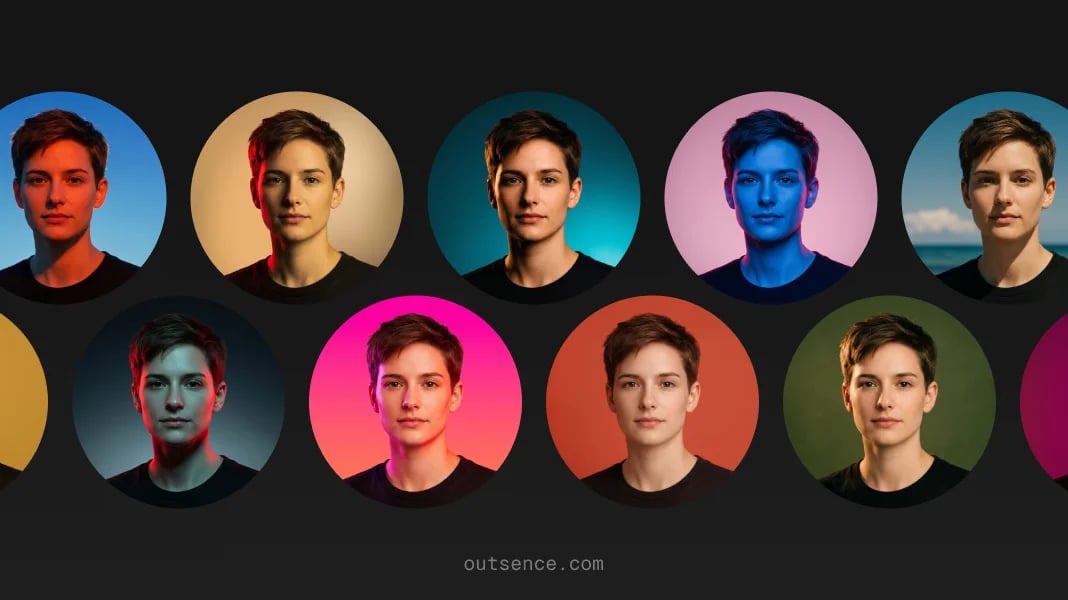
OutSence helps most on WhatsApp when the original photo is already socially right but not yet clean enough, current enough, or well-framed enough for everyday use. The product is not there to turn your contact picture into a performance. It is there to help you compare a few stronger but still believable versions from one source image.
That is especially useful when you want a little more polish without crossing into “this no longer looks like the person I text.” If that is your situation, start by generating a few calm profile directions in OutSence Create, then compare them in your OutSence gallery and keep the one that feels most natural in a chat.
Related guides
If you need a more mood-led version of the same photo, read How to make a good profile picture for Instagram from one photo. If the image also has to work as a public creator identity, read How to make a good profile picture for TikTok from one photo. If you want the same source photo to act more like a channel icon, read How to make a good profile picture for YouTube from one photo.
FAQ
What kind of selfie works best for WhatsApp?
Usually the one that feels most current, friendly, and believable. On WhatsApp, familiarity is more valuable than dramatic styling.
What if I use WhatsApp for both personal and work contacts?
Aim for warm but tidy. The best mixed-contact profile picture usually feels human and approachable without being overly casual.
Should I ever use a logo on WhatsApp instead of a photo?
Yes, if the account is clearly business-led rather than person-led. A real face is strongest when people are meant to recognize the person behind the account.
When is OutSence useful for WhatsApp?
When you already have one usable photo and want a few cleaner, more contact-friendly versions before choosing the one that feels most natural in chats and calls.